EasyAccount
ESSign in

Send the photo.

EasyAccount gathers your receipts for your tax preparer. For businesses in the United States.

Your preparer invited you. Send a photo of each receipt on WhatsApp or forward your invoices by email. Nothing to install, no account needed.

How it looks in your WhatsApp

  1. You send the photo. Of the receipt, the invoice or the bank statement, as a photo or a PDF.
  2. EasyAccount reads it. The store, the date and the total, in one message.
  3. You save it. Tap "Edit and save" and fix whatever is needed. If you forget, the chat reminds you.

You don't need to know accounting: your preparer reviews and closes your books.
This is how it looks: you send the photo, EasyAccount reads it and you save it.

Three ways to send

The way you already do. No app to install, no password to remember.

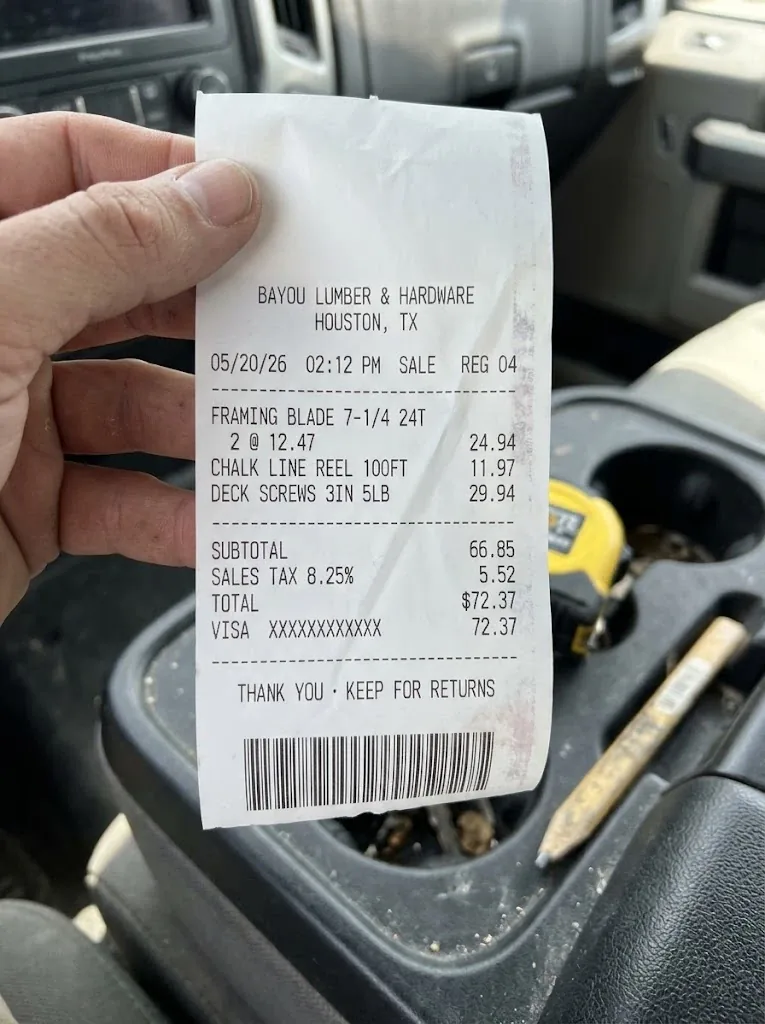
  1. The photo of a sample receipt from a Houston hardware store in a pickup's console

    A photo on WhatsApp

    Of the receipt, the invoice or the bank statement. EasyAccount reads the store, the date and the total, and you tap Save.

  2. Or an email

    Your business has its own EasyAccount address. Forward there the invoices you get by email.

  3. Your team too

    Whoever helps you run the business can send their receipts. Ask your preparer to add them.

Is this real? Is it safe?

What people askThe answer
Who we areEasyAccount is made by Vertum Studio, a Texas software company.
Who sees your receiptsYour preparer and, only to give you support, authorized EasyAccount personnel.
What we never ask forYour Social Security number or your ITIN.
Where they are keptIn the United States, on Google Cloud. The details are on the Security page.
If you didn't expect the messageTap "It's not me" in the chat.
What it costs youNothing for now, and we never charge you without your agreement.

Yes: here is what to know before you send your first document.

Invite your preparer

Came here on your own? EasyAccount works best with whoever prepares your taxes: you send, and your preparer gets your books ready.

No preparer, or rather start on your own? Sign up on WhatsApp: your Sheet lives in your Google and you decide who you share it with.

Questions

What owners ask before they send their first photo.

Do I need to know accounting?

No. You send photos and confirm what the receipt says. Your preparer reviews and closes your books.

Who sees my receipts?

Your preparer, in your business's Sheet, and authorized EasyAccount personnel only when it is needed to give you support. We do not sell your data or use it for advertising.

Can my team send documents?

Yes. Ask your preparer to add their numbers or email addresses. What they send goes in the same books.

How much does it cost?

Nothing for you for now. If it ever has a price, we will tell you first, and we never charge you without your agreement.

If I sign up on my own, what does EasyAccount ask of my Google?

To see your Google account's email address (to know which account you connected) and to use only the files EasyAccount creates: your Sheet. It can't see your other files, your email or your contacts. No Google account? Tap "No Google account" and we share the Sheet with you from EasyAccount's account. You can remove access at any time at myaccount.google.com/permissions; the details are in the privacy policy.

Where do my photos go?

To a private Google Cloud space in the United States. Each one opens only through its own link, the one in the Sheet. We never ask for your Social Security number or your ITIN.

Send your first photo.

Open the chat, tap "I accept" if you haven't yet, and send today's receipt.

Do you prepare taxes? EasyAccount for tax preparers. Questions? contact@easyaccount.app